
Visual Charting
Show exactly what you found
Mark findings directly on body maps and dental charts while you are in the consultation. Add notes, annotations and photos to the same visit, so there is no separate drawing to scan, upload or explain later.
Record what you can see, where you can see it
Visual charting sits inside the consultation alongside the clinical record. Open the relevant chart, mark the finding and carry on with the consult.
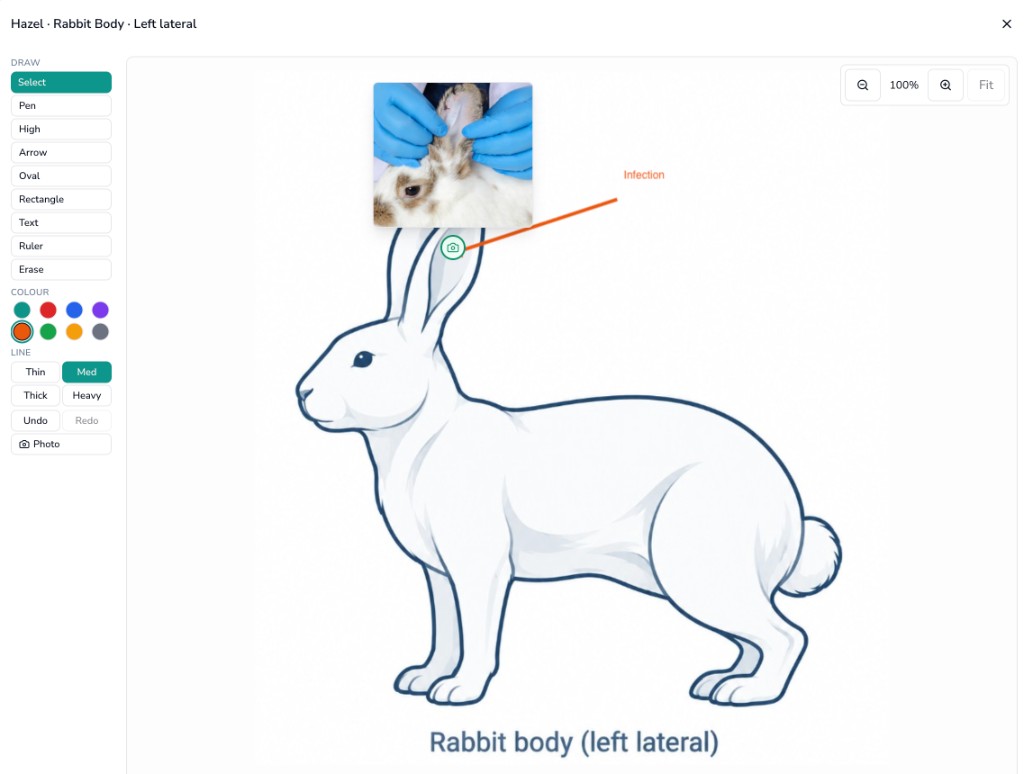
Mark the exact area
Tap the relevant part of the body map and record the finding there. The next person opening the case can see where you found it without working backwards from a paragraph of notes.
Chart dentals tooth by tooth
Record findings and treatment against individual teeth on proper maxilla and mandible views. You get a dental chart that can be read at a glance rather than a list of tooth numbers buried in free text.
Keep photos with the finding
Add a photo from the computer or upload one from a phone, then annotate it or attach it to the relevant area. The image stays with the consultation instead of ending up in a separate folder or message thread.
One record for the whole visit
The chart, clinical notes and supporting images stay together on the patient record. That makes it easier to review previous findings, hand a case over and see what has changed when the patient comes back.
See visual charting on a live consult
We can show you a consultation from start to finish: open the chart, mark a finding, add a photo and see how it remains part of the clinical record.